Fintech / Productivity

Timmy
Group Expense Management
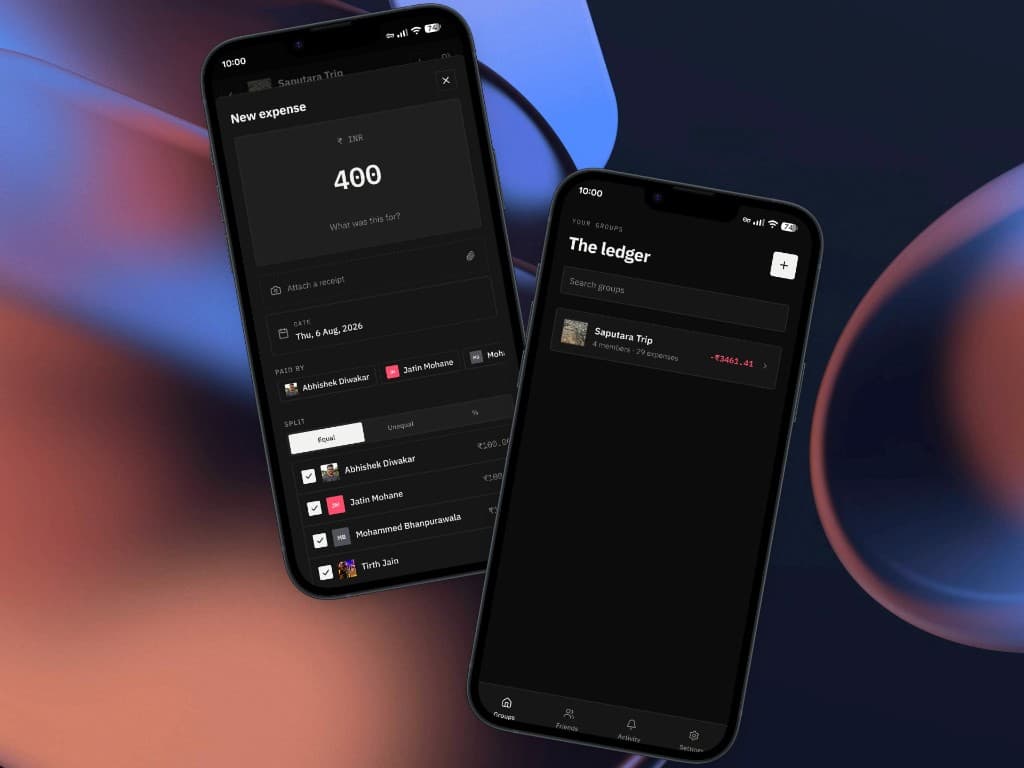
Timmy keeps a ledger for every trip, household, or group of friends. See what you owe, split a bill across the people who were there, and add an expense even without a connection. It stays on the device and syncs to the group when you are back online.
01
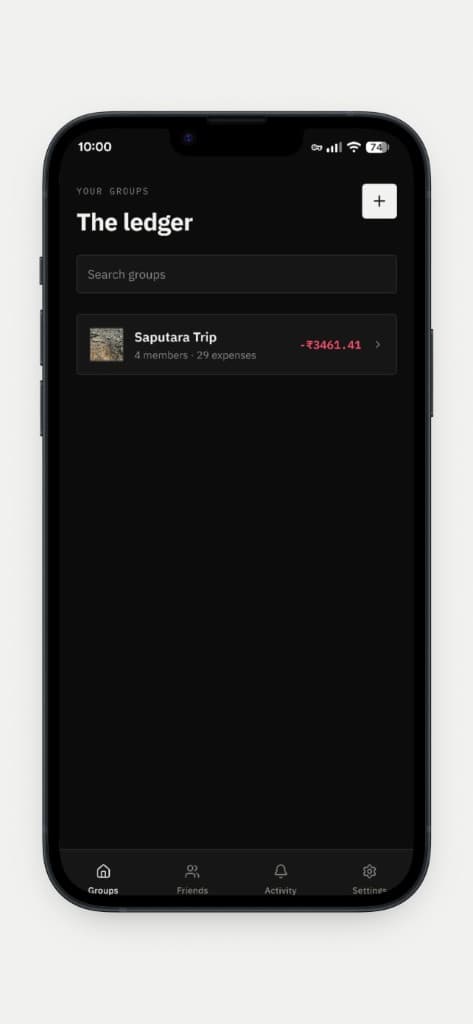
Every group, one ledger
The home screen is your ledger: each group, how many people and expenses are in it, and the balance you owe or are owed. Search the list, or start a new group.
02
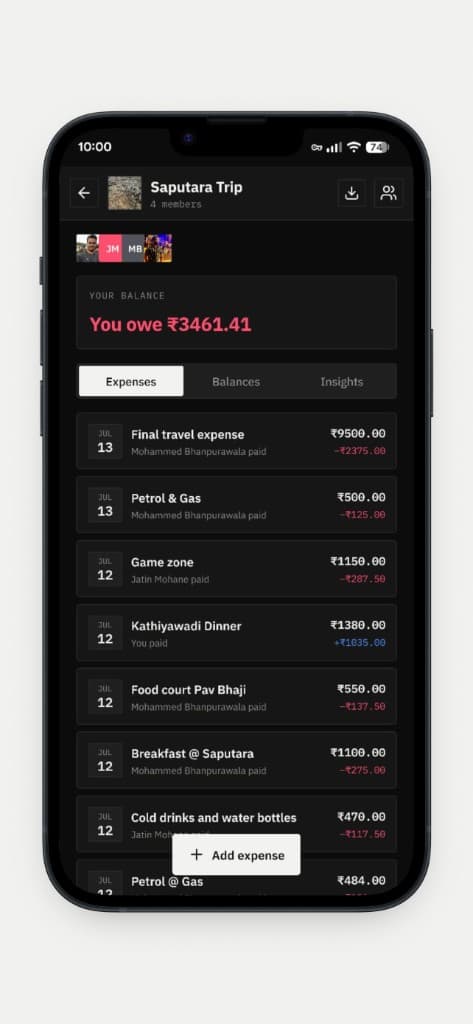
Inside the trip
Open a group for the running balance, then switch between expenses, balances, and insights. Each line shows who paid, the total, and your share.
03
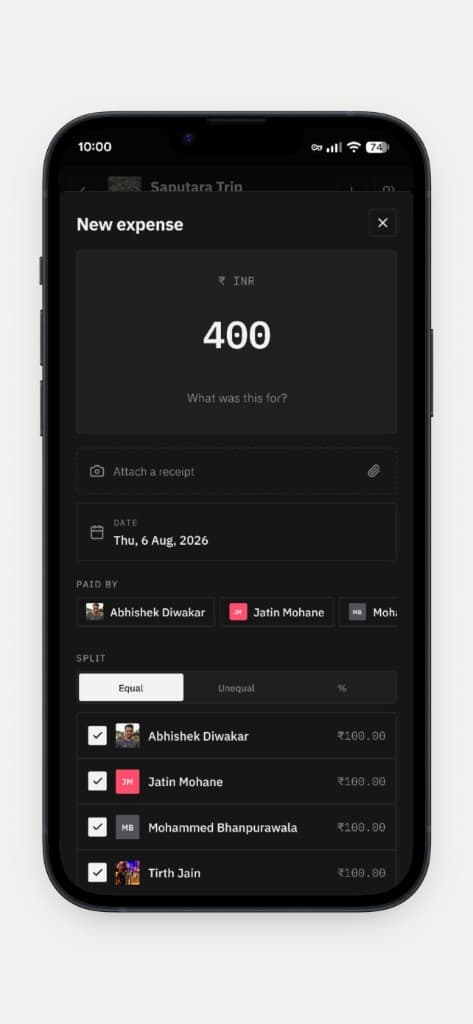
Split it while it’s fresh
Enter the amount, what it was for, and the date. Attach a receipt, mark who paid, and split equally, unequally, or by percentage across the people in the group.
04
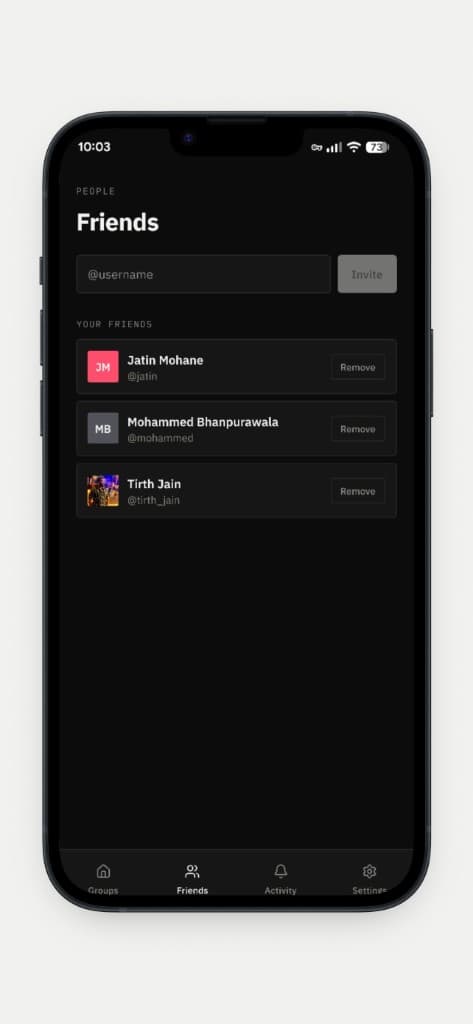
The people you split with
Invite someone by username and keep that list close. The same friends show up when you choose who paid and who shares an expense.
05
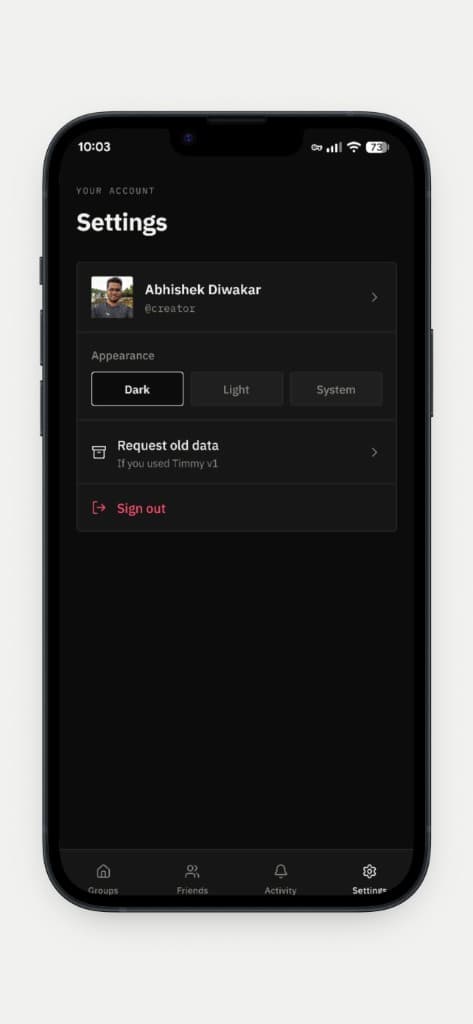
Dark, light, or system
Appearance follows dark, light, or the system setting. If you used Timmy v1, you can request that older data from the same screen.
Offline
Add the expense. Sync it later.
You can add an expense without a connection. It stays on this device and syncs to the group when you are back online and signed in.
Get Timmy
Built and shipped by Diwakar IT Services as a real product — not a mock showcase.
- Group ledgers with search
- Expenses, balances, and insights
- Equal, unequal, and percentage splits
- Invite friends by username
- Add expenses offline — they sync when you are back online
More products
Healthcare
Niti
A secure, compliance-minded clinic operations product for front desk and care teams — patients, appointments, admissions, and prescriptions with auditability built in.
Education
Spar
A local desktop gym for interview DSA — LeetCode-style workspace, a 12-week path, streaks and XP, and AI review that stays on your machine.
Security
Opty
An offline two-factor authenticator for moments when connectivity is unreliable — security that still works without the network.
Productivity
PDF Pass
Unlock PDFs you already have the password for — entirely on your device, with no accounts and no uploads.
Product engineering
moklay
A managed URL shortener for teams and developers — organize branded short links in-app, then connect systems with a public Integration API and scoped keys.